
Verified November 8, 2026: GTA 6 digital preload begins November 10, 2026. On PS5, it starts at 12:00 a.m. local time. On Xbox Series X|S, the download opens globally at 12:00 a.m. GMT, which means November 9 in the evening for mainland US Xbox players. Rockstar says the preload requires up to 212 GB of available storage, depending on the device. Preloading does not unlock the game before its November 19 launch.
Before you download: Check your preorder, clear enough space, enable automatic downloads, and review your store’s refund terms if you’re undecided. Rockstar published the updated schedule on November 3.
Planning your November backlog too? See isGamer’s November 2026 game release calendar after you have your download ready.
GTA 6 preload times in the US: PS5 vs Xbox
| US time zone | PS5 digital preorder | Xbox Series X|S digital preorder |
|---|---|---|
| Eastern (EST) | Nov. 10, 12:00 a.m. | Nov. 9, 7:00 p.m. |
| Central (CST) | Nov. 10, 12:00 a.m. | Nov. 9, 6:00 p.m. |
| Mountain (MST) | Nov. 10, 12:00 a.m. | Nov. 9, 5:00 p.m. |
| Pacific (PST) | Nov. 10, 12:00 a.m. | Nov. 9, 4:00 p.m. |
Times are calculated from Rockstar’s official local-midnight PS5 schedule and 00:00 GMT Xbox schedule; mainland US time zones are in standard time on these dates. Other US territories and time zones follow their own local offsets. These are download-start times, not early access to gameplay.
Rockstar’s November 3 preload FAQ supersedes its earlier announcement of a November 12 digital preload. The game itself is scheduled for November 19, 2026 on PS5 and Xbox Series X|S.
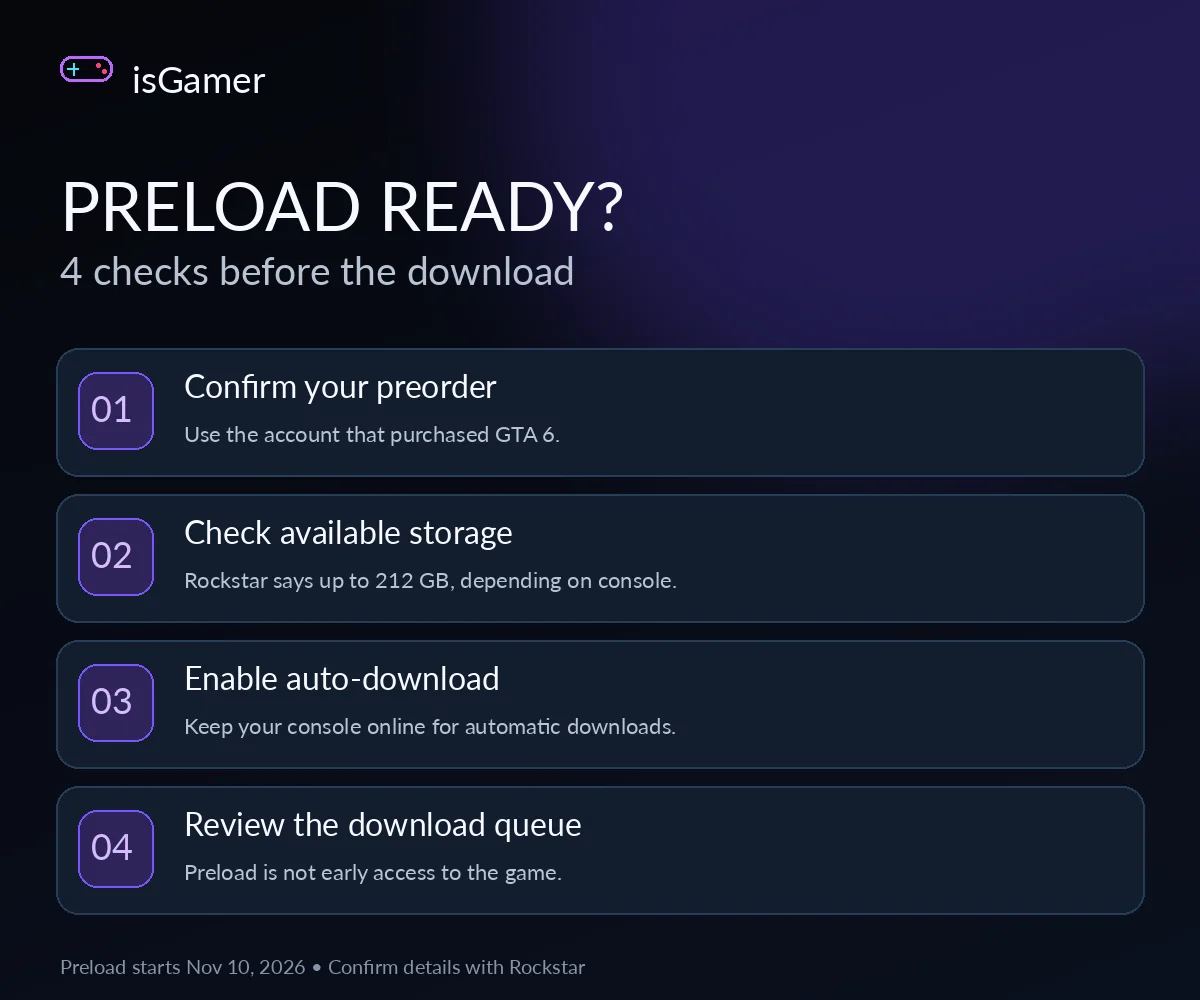
Four things to check before preload starts
- Check the preorder on the correct account. Verify that GTA 6 appears in the game library or purchase history of the PlayStation Network or Xbox account that bought it.
- Make room for the download. Rockstar specifies up to 212 GB of free storage depending on device. Check available space before preload day, and allow additional room if your console requests it for an update or installation step.
- Enable automatic downloads or updates. On PS5, enable auto-download for the preorder and keep the console online in Rest Mode. On Xbox, enable automatic updates and leave the console powered on or in Sleep mode, following Microsoft’s guidance.
- Check again once preload opens. If the game hasn’t started downloading, return to your library and the console’s download queue before changing any settings.
How to set up GTA 6 preload on PS5
PlayStation’s official instructions say to open Game Library, choose your preordered game, and select the countdown timer. Check that the relevant content has automatic download enabled. For downloads while the console is resting, enable the console’s setting to stay connected to the internet in Rest Mode. You can review the steps on PlayStation Support.
If the countdown or automatic-download option is missing, first check the account and preorder in your library. Follow PlayStation’s official download troubleshooting rather than deleting purchased content at random.
How to prepare GTA 6 preload on Xbox Series X|S
Rockstar says Xbox digital preloading opens globally at 00:00 GMT on November 10. Check your preorder, enable automatic updates, and use the console’s recommended power configuration: keep it powered on or in Sleep mode for automatic downloading. The process is documented through Rockstar’s preload FAQ, which links to Microsoft’s setup and troubleshooting instructions.
Do not change your console’s region simply to chase a different preload time. The Xbox digital schedule is a single global start time, so the date on a US clock can be November 9 even though Rockstar lists November 10 in GMT.
Does GTA 6 really need 212 GB?
Rockstar’s official preload FAQ says the download requires up to 212 GB of available storage, depending on the device. It is not a universal final installed size. Avoid treating unofficial extra-space recommendations as mandatory; instead, follow your console’s reported available-space requirement and keep reasonable room for updates.
Start with your console’s storage management screen. Remove games you no longer need or move supported titles to compatible storage if you have it. Make sure your remaining free space meets the console’s reported requirement before the download begins. If you’re shopping for additional storage, verify compatibility with the specific PS5 or Xbox Series console rather than buying any external drive and assuming it can run current-generation games.
Digital preorder versus physical code-in-box
Digital preorders can start preloading on November 10 under the platform schedules above. Rockstar expects the physical GTA 6 package to become available from November 12. It contains a download code, not a game disc; owners can redeem the code and download the title when they receive it. This is especially important for collectors and anyone expecting to install GTA 6 without a large internet download. See Rockstar’s editions and versions guidance.
Check refund rules before enabling auto-download
If you’re uncertain about keeping a digital preorder, review the store’s cancellation terms before allowing the main game to download automatically. PlayStation’s US cancellation policy says beginning to download or stream the main part of a preorder, including a preload, can affect refund eligibility, with exceptions such as faulty content. Check PlayStation’s current cancellation policy for your circumstances. Xbox buyers should review Microsoft’s applicable preorder and refund rules separately rather than assuming PlayStation terms apply.
If GTA 6 preload doesn’t start
Start with the basics: verify the purchase is linked to the signed-in account, confirm the announced start time in your region, check free storage, inspect the download queue, and verify internet connectivity and automatic-update settings. Rockstar links to platform-specific troubleshooting in its official FAQ. Avoid third-party files claiming to unlock the game early; preloading does not grant early access before the November 19 launch.
GTA 6 preload FAQ
Can you preload GTA 6 on PC?
No official PC release or PC preload date has been announced. The November schedule covers PS5 and Xbox Series X|S.
Is the Xbox preorder downloadable on November 9 in the US?
Yes, the confirmed global 12 a.m. GMT November 10 start converts to the evening of November 9 across mainland US time zones.
Can physical buyers preload on November 10?
Rockstar expects code-in-box copies to be available from November 12. You need to receive and redeem your code; don’t assume you can download a retail preorder before that.
For the game’s confirmed setting, editions, trailers, and platform information, read isGamer’s GTA 6: Everything We Know. This guide focuses only on getting the console ready to download.
Last fact-checked: November 8, 2026. Sources: Rockstar’s November 3 preload FAQ and installation requirements, Rockstar’s November 4 editions documentation, and PlayStation Support. No first-hand console preload testing is claimed. Times and policies should be rechecked against the official sources if the publisher changes them.