

Price note: Laptop prices change quickly in the US. This guide uses a target budget, not a permanent price promise. Check the retailer price, return policy and exact configuration before ordering.
The best under-$800 configuration
| Part | What to target | What to avoid |
|---|---|---|
| GPU | RTX 4050-class or better on sale | Integrated graphics for modern AAA gaming |
| RAM | 16GB DDR5 | 8GB unless it is easily upgradeable |
| Storage | 512GB SSD minimum; 1TB preferred | 256GB SSD |
| Display | 1080p, 144Hz or better, decent response time | High resolution paired with a weak GPU |
| CPU | Modern Core 5/Core 7 or Ryzen 5/Ryzen 7 mobile chip | Paying for CPU prestige while cutting the GPU |
| Cooling | Two-fan design and clear exhaust vents | Thin chassis with no sustained-performance testing |
Best GPU target: RTX 4050 on sale
The RTX 4050 remains the practical starting point for a new gaming laptop in this price range. It can handle 1080p gaming well when paired with a reasonable power limit, and it gives you access to modern upscaling and frame-generation features.

The important part is the laptop implementation. Check the GPU power limit, memory configuration and long-session temperatures. A low-power RTX 4050 in a poorly cooled chassis may lose to a better-cooled model with the same GPU name.
Best Buy’s current RTX 4050 search results show why configuration checking matters: similar-looking laptops can differ in CPU, RAM, storage and display. Check current Best Buy RTX 4050 listings before using any model as a live recommendation.
RTX 5050: only when the deal is real
An RTX 5050 laptop can be worth considering if it lands below $800 with 16GB RAM and a good 1080p panel. Do not choose it automatically over every RTX 4050 laptop. Compare real reviews, power limits, VRAM, screen quality and upgradeability.
The rule is simple: buy the stronger complete laptop, not the newer number.
What compromises are acceptable?
At $800, you will probably compromise somewhere. The smart compromises are:
- a plastic chassis with decent airflow;
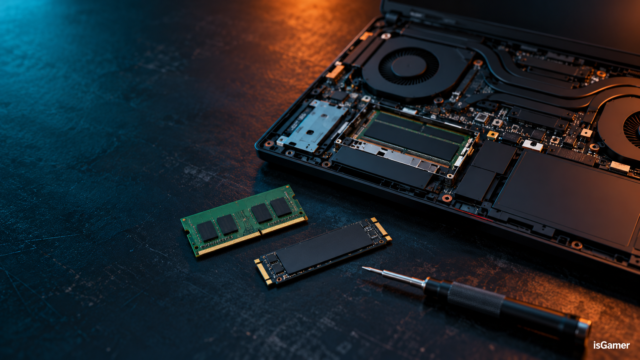
- a 512GB SSD if a second M.2 slot exists;
- average speakers or webcam quality;
- a basic but responsive IPS display;
- a heavier charger.
Avoid these compromises:
- 8GB RAM with no clear upgrade path;
- a weak GPU hidden behind a powerful CPU;
- a 60Hz panel on a performance-focused model;
- a screen with poor response time and visible ghosting;
- no sustained gaming test and no clear TGP information.
How we would spend the budget
- Get the best GPU that fits the budget.
- Make sure the laptop has 16GB RAM or a cheap upgrade path.
- Confirm the screen is 1080p and suitable for gaming.
- Accept 512GB storage only if the upgrade path is good.
- Read long-session testing before paying for a thin design.
For the bigger picture, compare this guide with the isGamer Gaming Laptop Buying Guide and the Gaming Laptop Specs by Budget guide.
Is a gaming laptop under $800 good for AAA games?
Yes, at 1080p with sensible settings. Expect to adjust ray tracing, texture quality and upscaling in demanding new releases. An RTX 4050-class laptop is not a “max everything” machine; it is a practical 1080p system.
Final buying checklist
- Confirm the exact GPU and TGP.
- Buy 16GB RAM, or confirm the upgrade path.
- Prefer a 144Hz 1080p display with a tested response time.
- Check whether the SSD can be expanded.
- Read temperatures and fan noise after extended gaming.
- Verify the price and stock on the retailer page before checkout.
- Check the return policy; budget configurations change frequently.
Bottom line
The best gaming laptop under $800 is usually the model with the strongest sensible GPU, 16GB RAM and acceptable cooling—not the one with the most premium-looking chassis. Start with RTX 4050-class performance, consider RTX 5050 only when the deal is genuinely better, and keep the machine at 1080p where the hardware makes sense.
Next step: Check current RTX 4050 listings at Best Buy, then verify the exact GPU power limit, memory configuration and return policy before ordering.
FAQ
What is the best GPU for a gaming laptop under $800?
Target an RTX 4050-class laptop, then compare TGP and cooling. An RTX 5050 can be attractive when discounted, but the full configuration matters more than the GPU generation.
Is 8GB RAM enough for a budget gaming laptop?
It is restrictive for a new gaming laptop. Choose 16GB, or confirm that the laptop has accessible memory slots and a reasonable upgrade cost.
Is a 512GB SSD enough?
It can work, but it fills quickly with Windows, launchers and modern games. Choose 1TB when the price difference is reasonable, or verify that a second M.2 slot is available.
Should I buy an older RTX 4060 laptop if it is on sale?
Possibly. A well-cooled RTX 4060 laptop can be a strong deal, but compare its display, TGP, warranty and battery condition if it is an older or open-box model.
Affiliate disclosure
isGamer may earn a commission from qualifying purchases made through retailer links. This does not change the price you pay or the way we judge a laptop. Prices and availability can change after this guide is updated.
Image SEO package
| Asset | Alt text |
|---|---|
| Hero | Budget gaming laptop comparison for US buyers — isGamer |
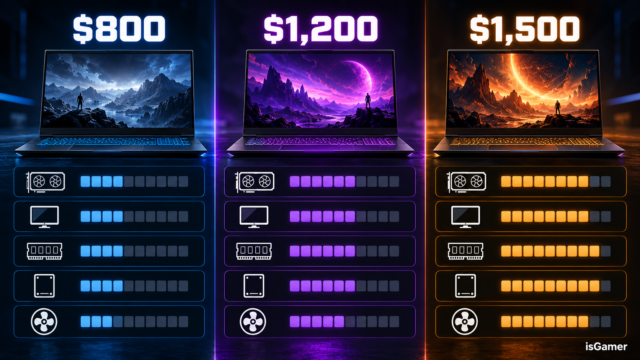
| Budget visual | Gaming laptop specs and priorities under $800 — isGamer |