


A gaming laptop can list the right GPU on the spec sheet and still perform differently from another machine carrying the exact same graphics chip. That is one of the easiest things to miss when shopping for a laptop in 2026.
The GPU model matters, but so do its power limits, VRAM, cooling system, display resolution, and the way the laptop manufacturer configures the hardware. Before choosing a machine based on an RTX 5060, RTX 5070, or another GPU badge alone, it helps to understand what those numbers actually tell you.
A laptop GPU is not just a smaller desktop GPU
Desktop and laptop graphics cards can share similar names, but they should not be treated as interchangeable hardware.

A gaming laptop has much tighter limits on power consumption, heat, physical space, and cooling. The GPU therefore has to operate within a power envelope chosen for that specific notebook.
This becomes especially important with NVIDIA’s current RTX 50 Series Laptop GPUs. NVIDIA lists the RTX 5090 Laptop GPU at a GPU subsystem power range of 95–150W, the RTX 5080 at 80–150W, and the RTX 5070 Ti at 60–115W. Further down the lineup, the RTX 5070 can operate between 50 and 100W, while the RTX 5060 ranges from 45 to 100W and the RTX 5050 from 35 to 100W.
Those ranges are wide enough that simply seeing “RTX 5070 Laptop GPU” on a product page does not describe the complete graphics configuration.
A thin laptop and a larger performance-focused model can use the same GPU family while giving it very different thermal and power conditions.
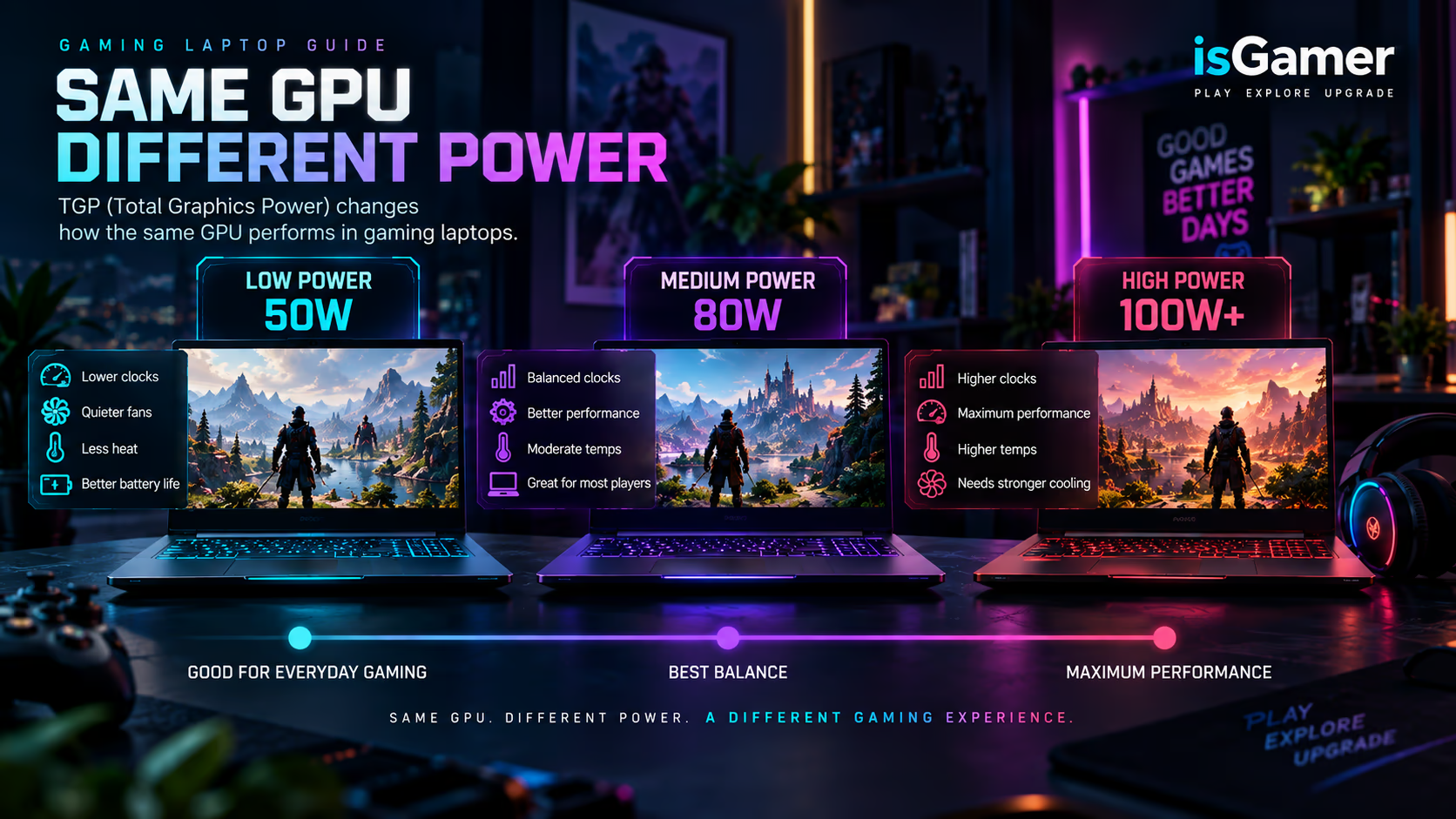
What TGP means in a gaming laptop
TGP usually refers to Total Graphics Power, although manufacturers and GPU vendors may use slightly different terminology when describing the graphics subsystem.
For a buyer, the practical idea is simple: it tells you roughly how much electrical power the laptop is designed to make available to the graphics hardware under its configured operating limits.
More available power can allow a GPU to sustain higher clocks when the cooling system can handle it. Less power can make it easier to build a thinner, quieter, or more power-efficient laptop.
That does not mean you should automatically buy the machine with the highest wattage number.
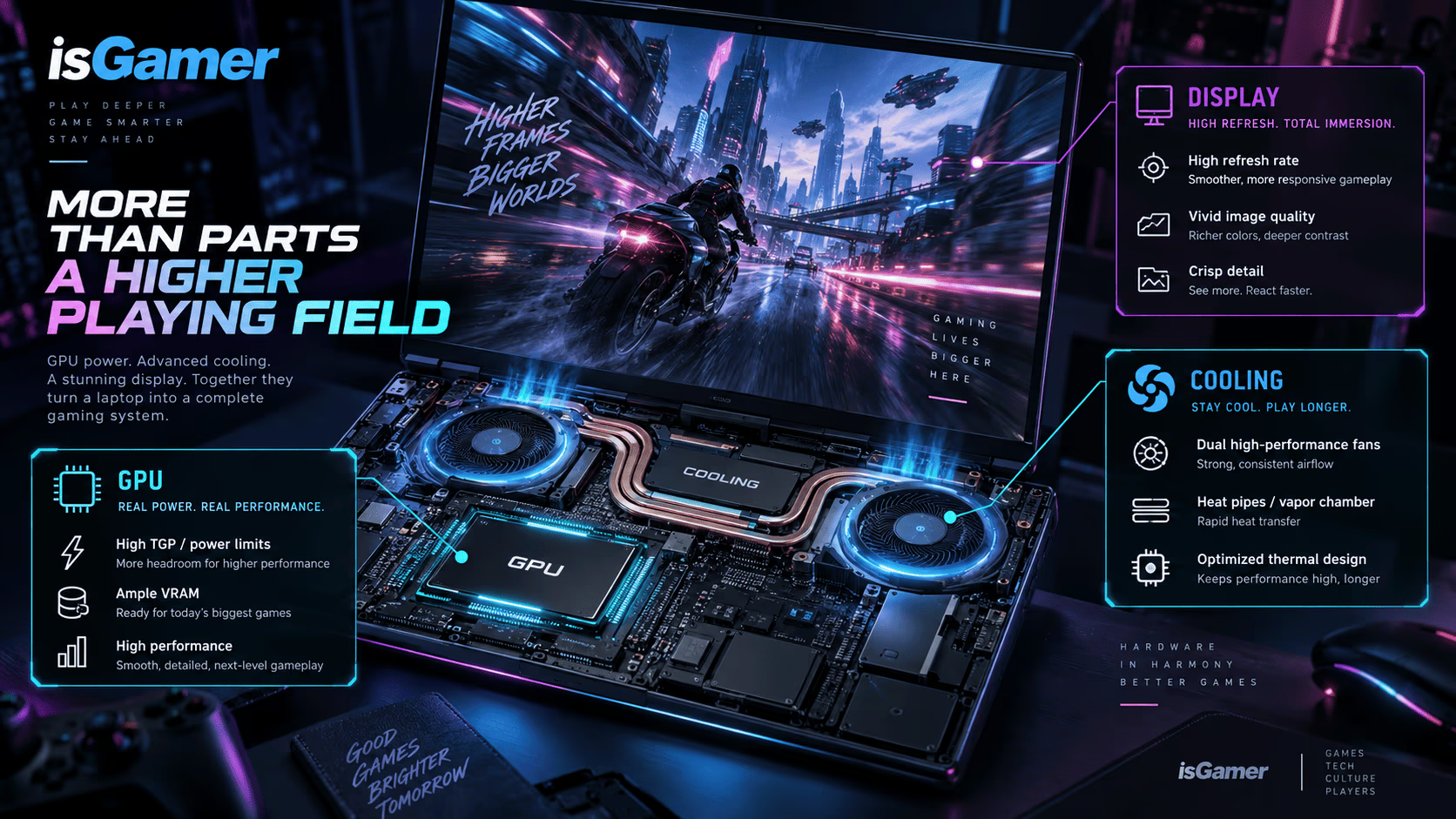
Power is only useful when the laptop can cool the GPU effectively. A well-designed machine needs a cooling system, fan profile, chassis, firmware, and CPU/GPU power strategy capable of handling the configuration.
TGP should therefore be treated as part of the specification, not as a performance score.
Why two RTX 5070 laptops can behave differently
Consider two laptops built around an RTX 5070 Laptop GPU.
NVIDIA officially specifies a 50–100W GPU subsystem power range for that model. The same GPU therefore has room to appear in significantly different laptop designs.
One manufacturer might prioritize portability and configure the system toward the lower end of the range. Another might build a thicker gaming chassis with more cooling capacity and a higher graphics power target.
Other differences can widen the gap further.
The CPU may share part of the system’s thermal and power budget. Cooling capacity can vary. Performance modes can change fan behavior and power allocation. Memory configuration, firmware, ambient temperature, and game workload also matter.
This is why comparing laptops by GPU name alone can produce misleading conclusions.
When possible, check the exact configuration of the laptop you are considering rather than assuming every machine with the same graphics badge behaves identically.
VRAM matters too
GPU power is only one part of the decision. Video memory, or VRAM, determines how much graphics-related data can be held close to the GPU.
Texture quality, rendering resolution, ray tracing, high-resolution asset packs, and some content-creation workloads can increase VRAM demand.
NVIDIA’s current RTX 50 Series Laptop lineup also shows meaningful differences here. The RTX 5090 Laptop GPU carries 24GB of GDDR7, the RTX 5080 16GB, and the RTX 5070 Ti 12GB, while the RTX 5060 and RTX 5050 use 8GB configurations. For any model where memory capacity varies by configuration, verify the exact laptop specification before buying.
More VRAM does not automatically make one GPU faster than another, but insufficient VRAM can become a constraint when a game or graphics workload asks for more memory than the GPU comfortably has available.
That distinction matters when comparing laptops intended to last several years.

Match the GPU to the laptop’s screen
A laptop GPU should not be evaluated independently from the display it has to drive.
A 1920×1080 panel places a different rendering load on the GPU than a 2560×1600 or higher-resolution screen. A 240Hz display also creates a different performance target from a 60Hz or 120Hz panel.
For competitive games, the goal may be high frame rates at relatively moderate graphics settings.
For visually demanding single-player games, a buyer may care more about image quality, ray tracing, resolution, and consistent frame delivery than reaching extremely high frame rates.
That means a GPU that makes sense in one laptop configuration may be less attractive in another.
There is little benefit in paying for an expensive high-refresh panel if the GPU cannot deliver the experience you want at that resolution. The reverse can also be true: pairing a powerful graphics configuration with a mediocre panel can leave part of the laptop’s value unused.
DLSS and frame generation change the equation, but not the hardware
Modern gaming laptops increasingly rely on rendering technologies alongside traditional GPU performance.
NVIDIA’s RTX 50 Series Laptop GPUs use the Blackwell architecture and support DLSS 4 according to NVIDIA’s current specifications.
Features such as upscaling and frame generation can improve the experience in supported games, particularly when higher resolutions or demanding effects are involved.
They should still be treated as features rather than replacements for choosing appropriate hardware.
Not every game supports the same technologies. Image quality and latency priorities can differ between genres. Native rendering performance also remains useful when comparing how much headroom a laptop has outside supported scenarios.
The sensible approach is to consider both sides: the GPU’s underlying hardware and the software features available to it.
Don’t use wattage as a simple ranking system
Once shoppers discover TGP, it is easy to move from ignoring power limits to focusing on them too much.
A 100W GPU is not automatically better than every 80W GPU.
Different GPU models use different architectures, core configurations, memory systems, clock behavior, and efficiency characteristics. Even two machines using the same GPU can differ because of cooling, firmware, CPU power allocation, and the performance mode selected by the manufacturer.
TGP is most valuable when comparing two laptops that otherwise look very similar.
If both machines use the same GPU, knowing their graphics power configuration gives you another important piece of the puzzle.
If the GPUs themselves are different, wattage alone cannot tell you which one will be faster.
What to check before buying
When a gaming laptop catches your attention, look beyond the short headline specification.
Check the exact Laptop GPU model, its VRAM capacity, the manufacturer’s stated graphics power information when available, the laptop’s display resolution and refresh rate, and whether trustworthy independent reviews have tested that exact configuration.
Cooling deserves just as much attention. A performance-focused GPU inside a constrained chassis cannot be evaluated separately from the thermal system built around it.
Also check whether reviews specify the precise model number. Laptop manufacturers often sell several versions of the same product family with different GPUs, CPUs, displays, memory configurations, and regional specifications.
A benchmark for one configuration should not automatically be applied to another.
Which GPU tier makes sense?
There is no single GPU tier that fits every gaming laptop buyer.
A player mainly interested in esports at 1080p has different requirements from someone targeting visually demanding AAA games on a high-resolution display. A laptop that also needs to handle 3D rendering or GPU-accelerated creative work creates another set of priorities.
Budget matters as well.
Instead of starting with “Which GPU is best?”, a more useful question is: what resolution, games, settings, frame-rate target, portability level, and budget does this laptop need to handle?
Once those requirements are clear, the GPU choice becomes much easier to evaluate.
An RTX 5090-class laptop is unnecessary for many players. At the same time, saving money on the graphics configuration can be a poor trade if the games and display you intend to use will immediately push it beyond your preferred settings.
For the full buying framework, including CPU, memory, storage, display, cooling, ports, battery life, and upgradeability, see our Gaming Laptop Buying Guide 2026.
The GPU name is only the beginning
The GPU badge on a gaming laptop tells you which graphics family you are looking at. It does not tell you everything about the laptop’s real graphics configuration.
In 2026, power ranges within the same GPU model make TGP especially important to understand. VRAM, screen resolution, cooling capacity, software features, and the manufacturer’s implementation all influence whether a laptop makes sense for a particular buyer.
Treat the GPU model as the starting point. Then check the power configuration and the hardware surrounding it before deciding what you’re actually paying for.
Continue Your Gaming Laptop Research
GPU power is only one part of a balanced laptop. Start with our gaming laptop buying guide, compare RAM and storage options, then match the hardware to the right display and cooling setup.




1 comment