


16GB of RAM has not suddenly stopped working for gaming. If your existing games fit comfortably and you aren’t seeing memory-related slowdowns, replacing working memory just because 32GB is popular may accomplish little. But if you’re building a new mainstream PC, running large mod packs, recording gameplay or keeping many applications open, 32GB is a sensible target.
This guide brings the important decisions together: what capacity to buy, how to interpret Steam’s survey, when an upgrade helps, and what compatibility checks matter before spending money.
16GB vs 32GB: what actually changes?
16GB remains a useful capacity for budget systems and focused gaming sessions. 32GB adds headroom for demanding games and multitasking. The advantage appears most clearly when total memory demand exceeds what’s available. When neither configuration is close to full, extra capacity may produce little measurable improvement.

A better rule than buying the biggest number is to identify the games and background applications you actually run. Our 8GB, 16GB, 32GB and 64GB gaming RAM breakdown explains what each capacity is suited to.
What the Steam survey does and doesn’t prove
Valve’s Steam Hardware & Software Survey for September 2026 reported 32GB as the largest single system-memory capacity category among participating PCs, ahead of 16GB. The survey describes participating machines, not the minimum RAM needed to play every new release. It is not a controlled performance benchmark.
Signs you may need more RAM
An upgrade deserves attention if demanding games repeatedly push your total system memory close to capacity, tabs and voice chat become unresponsive during play, or switching tasks causes severe slowdowns. Monitor Task Manager → Performance → Memory while using the PC as normal and compare more than one session.
Do not treat high memory usage as proof of failure by itself. Windows caching is normal. Compare what happens with unnecessary programs closed, and consider other sources of stutter including shader compilation, thermals, disk activity and CPU/GPU constraints.
Don’t ignore DDR generation and module configuration
Memory capacity is only one part of a successful purchase. DDR4 and DDR5 are incompatible with each other’s slots. Supported capacity, processor memory controller, board layout, two-module slot placement, and qualified speeds can all affect the result.
Two properly placed modules can enable dual-channel operation on supporting hardware, but slot layout and capacity combinations depend on the board. XMP/EXPO speed profiles may require manual enabling and stability checks. Your motherboard’s official documentation should take precedence over generic buying advice.
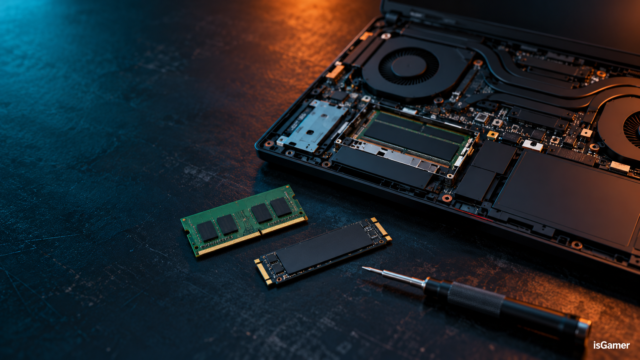
When you’re ready to change hardware, follow our step-by-step gaming RAM upgrade guide for kit selection, installation and verification.
When 64GB is worth considering
64GB should solve a specific need rather than serve as a reflexive future-proofing purchase. Extensive modding, large creative projects, VMs and development environments can justify additional capacity. For ordinary gaming and a few background apps, 32GB is often a more balanced starting point if the budget permits.
The practical buying decision
- Existing 16GB gaming PC with smooth performance: keep the RAM and save the budget.
- New budget desktop: compare the value of 16GB against GPU and storage improvements.
- New mainstream gaming desktop: 32GB is a comfortable target when affordable.
- Heavy mods, streaming or multitasking: look seriously at 32GB and measure actual demand.
- Workloads that regularly exceed 32GB: evaluate 64GB after checking compatibility.
For laptops, see isGamer’s Gaming Laptop Buying Guide and its RAM and storage guidance. Those pages address laptop purchasing rather than desktop memory installation.
Ultimately, buy the capacity that answers a verified problem, and check the exact hardware configuration before you pay for a kit.
Sources: Valve Steam Hardware & Software Survey; Microsoft Windows 11 system requirements.